設定
設定
 迅速な配送
迅速な配送
 送料は無料
送料は無料
 Incoterms
 お支払い方法


 マーケットプレイス製品

How to Use Watchdog Timers on Arduino
2026-01-07 | By Maker.io Staff
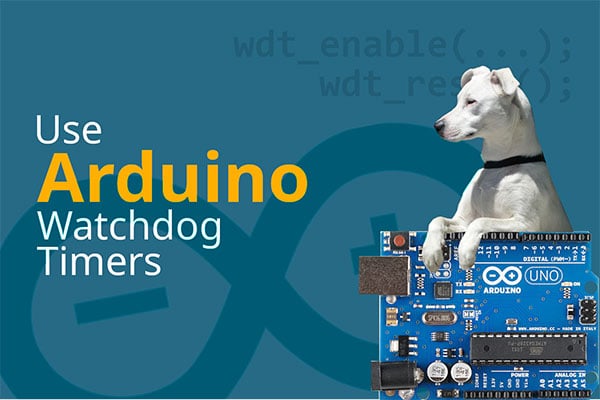
Independent timers, like the Arduino watchdog timer, play a crucial role in embedded software development. They are vital for ensuring accurate event triggering, reliability, and safety. This article explains the basic principles of watchdog timers and how to leverage them to build more resilient Arduino-based projects.
What Is a Watchdog Timer?
In embedded systems, a watchdog timer is a lightweight circuit driven by an independent, low-frequency clock. Special control registers configure whether the timer is active and change its timeout period. Once activated, these straightforward units count until they reach the preset timeout value, at which point they trigger a configurable event unless reset by the user program.
This event can be a custom interrupt function or, most commonly, a trigger that restarts the embedded application. The watchdog timer runs independently of the CPU, and it doesn’t hang in case the CPU encounters an error loop or fault state. Therefore, it can act as an automatic guard that resets the system if it hangs up.
Common Arduino Watchdog Timer Uses
The classic application for watchdog timers is to reboot the CPU to prevent it from stalling indefinitely when the user program crashes or hangs. In that scenario, the timer guards the CPU from stalling indefinitely, like a watchdog guarding a house. The program must reset the timer periodically (sometimes called feeding the watchdog) before it reaches the timeout threshold to prevent a system restart. Watchdog timers can drastically enhance the safety and reliability of embedded systems, particularly in remote and safety-critical applications, such as remote weather stations or robotic systems.
On Arduino boards, the watchdog timer can also serve as a relatively accurate, configurable hardware timer that can trigger user-defined interrupt methods independent of the CPU clock. Practical use cases include sending periodic messages or toggling a GPIO pin in specific intervals.
Some MCUs offer low-power modes that greatly reduce the device’s power consumption, thus extending the runtime of battery-operated systems. In those devices, configurable timers are often used to wake the device from its low-power mode.
Using the Arduino Watchdog on AVR Boards
In most cases, employing the watchdog timer in custom projects involves low-level hardware access. Therefore, the exact approach may vary slightly, depending on the target platform. However, the basic workflow involves three steps and remains unchanged.
First, the user program must activate and configure the watchdog during startup. It’s generally recommended to reset the timer immediately after the program starts to prevent infinite boot loops. This step is crucial on AVR-based Arduino boards, such as the Uno, because their watchdog does not automatically reset when activated or turned off. Lastly, the user program must periodically reset the timer in the loop function to prevent automated reboots.
#include <avr/wdt.h>

void setup() {
  wdt_enable(WDTO_4S);
  wdt_reset();
}

void loop() {
  delay(2500); // Simulate some task
  wdt_reset();
}
This short example imports the AVR watchdog library and then enables the watchdog timer in the setup function, using the wdt_enable call. This example code sets the watchdog timeout period to four seconds. Note that the standard AVR library lets programmers choose from a few preset timeout values, ranging from 16 milliseconds to eight seconds. The setup function resets the timer immediately after starting it to prevent boot loops. The loop method performs some tasks before periodically calling wdt_reset to signal the watchdog that the program didn’t hang.
As discussed, the watchdog timer can also be used to call an interrupt service routine (ISR) periodically:
#include <avr/io.h>
#include <avr/wdt.h>
#include <avr/interrupt.h>

volatile bool ledState = false;

ISR(WDT_vect) {
  ledState = !ledState;
}

void createWatchdogInterrupt(void) {
  cli();
  wdt_reset();

  WDTCSR |= (1 << WDCE) | (1 << WDE);
  WDTCSR = (1 << WDIE) | (1 << WDP2) | (1 << WDP1);
  sei();
}

void setup() {
  pinMode(LED_BUILTIN, OUTPUT);
  createWatchdogInterrupt();
}

void loop() {
  digitalWrite(LED_BUILTIN, ledState);
}
Although the code looks more complicated, it boils down to a few simple steps. The createWatchdogInterrupt helper first turns off global interrupts by calling cli. This is necessary to prevent interruptions in the watchdog setup sequence that follows, and it is started by resetting the watchdog timer.
The next line sets the Watchdog Change Enable (WDCE) and Watchdog Enable (WDE) bits to unlock the watchdog control register. After this line, there is a narrow window of four clock cycles during which the program must change the settings in WDTCSR. The subsequent line sets the WDIE bit (Watchdog Interrupt Enable) to turn on the timer and configures the prescaler (WDP1 and WDP2) to set the timeout to one second. Note that the code does not set the WDE bit, which would reset the CPU when the timer reaches zero.
When WDE is not set but WDIE is set, the microcontroller always calls the fixed ISR vector, defined above the createWatchdogInterrupt function. Unlike GPIO interrupts, programmers cannot pick which function the watchdog timer calls.
Arduino Watchdog Timer Libraries
The low-level approaches discussed so far are platform-specific, and they function only on AVR-based Arduino boards, such as the Nano and Uno. Other platforms require adapted code or the use of a ready-made library, such as Adafruit SleepyDog, that targets multiple MCUs.
Start by installing the SleepyDog library using the Arduino IDE’s built-in library manager:
 Follow the highlighted steps to install the Adafruit SleepyDog library in the Arduino IDE’s library manager.
Adafruit SleepyDog offers the same basic watchdog functionality as the low-level AVR API. Still, it allows for more fine-grained timeout setup, doesn’t need to be reset in the setup function, and it offers a universal interface that works across most common Arduino-compatible platforms.
As in the example above, the following snippet restarts the board if the CPU fails to reset the watchdog timer after four seconds:
#include <Adafruit_SleepyDog.h>

void setup() {
  Watchdog.enable(4000);
}

void loop() {
  delay(2500); // Simulate some task
  Watchdog.reset();
}
However, to ensure compatibility across multiple platforms, the Adafruit SleepyDog library does not support watchdog timer interrupts that call an ISR. In addition, programmers must remember that the library is limited to the underlying hardware limitations, such as the maximum timeout duration of eight seconds on AVR-based Arduino boards.
Summary
A watchdog is an independent timer built into an MCU that monitors embedded programs. It’s mainly used to prevent program freezes, run periodic tasks, and wake MCUs from low-power sleep when supported.
If the code hangs or crashes, the watchdog can automatically reset the CPU, preventing it from stalling indefinitely. On AVR Arduinos, the watchdog is controlled through a platform-specific, low-level API, with preset timeouts from 16 milliseconds to eight seconds.
After enabling the timer, the program must reset it regularly in the loop. On AVR boards, the setup function should also reset the timer immediately after enabling it to prevent boot loops. The watchdog timer can optionally trigger an interrupt, which always calls the fixed ISR vector.
For greater portability across architectures such as AVR, SAMD, and RP2040, the Adafruit SleepyDog library provides a simple API. It handles enabling, resetting, and timing in milliseconds; does not require a reset in setup; and works across many common platforms. However, SleepyDog only supports resets and does not allow ISR callbacks, and it’s limited to the hardware maximum timeout for each platform.