設定
設定
 迅速な配送
迅速な配送
 送料は無料
送料は無料
 Incoterms
 お支払い方法


 マーケットプレイス製品

メーカー品番 32614
POCKET PRECISION 4-IN-1 SCREWDRI
Klein Tools, Inc.

Hand Tools Screwdrivers / Bits Solder / Desoldering Irons / Stations
Let’s learn about electronics teardowns and e-waste recycling. In this guide, I’ll share safe and useful techniques and answers to common questions. Let’s get started.
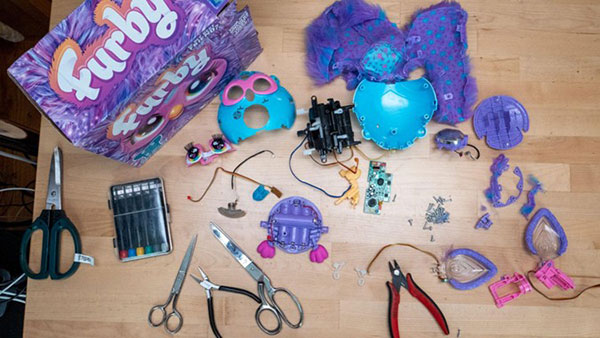
I love taking apart electronic products. It’s a low-pressure way to dip a toe into tinkering without the hangups associated with building a project up. Instead, we’re tearing one down.
I’ve disassembled so many gadgets that I’ve lost count. I’ve even given my students a teardown assignment as their first foray into building electronics. It’s so cool to see all the work that goes into making them, which often involves an integration between engineering and design, and several interesting manufacturing processes. You can find those videos over on my channel.
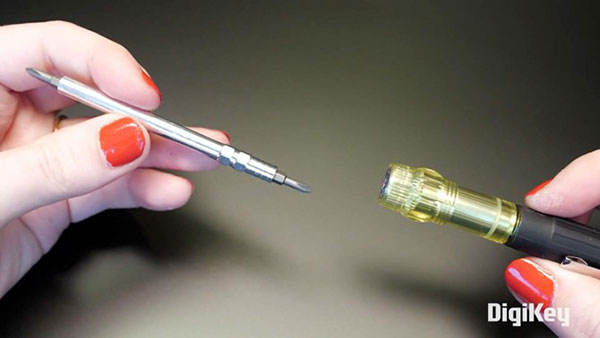
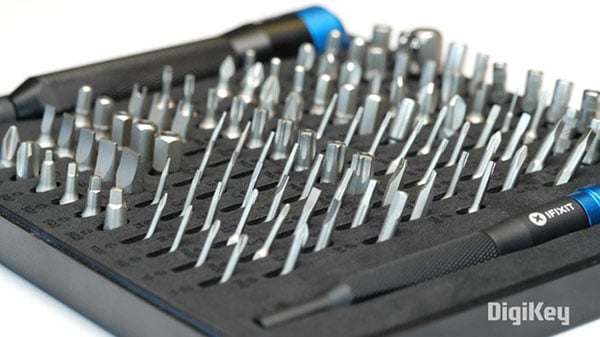
When tackling a teardown, the main thing you need is a set of screwdrivers. Usually, this small multi-driver with two sizes of each Phillips and flathead is enough variety. Occasionally, you’ll encounter security screws that require special bits to undo. It’s simple enough to look up a chart of security screws and find your match to figure out what it's called, then source an appropriate driver. Or you can get a big screwdriver set with every security bit imaginable, so you’re always prepared for whatever comes across your workbench.
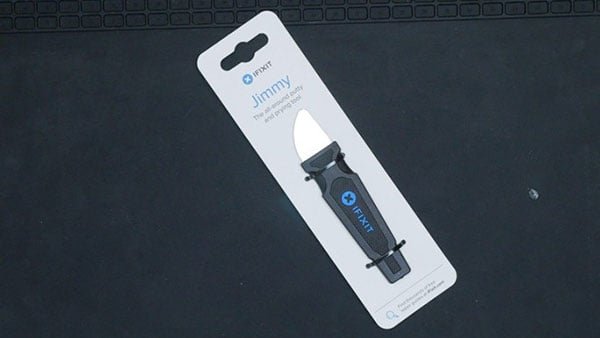
In addition to screwdrivers, I really like this flexible metal tool called a Jimmy, made by iFixit. I’ve pried open so many gadgets with it, and it always springs right back. I’ve had this one for a long time, and I’m impressed with how it's held up over the years.
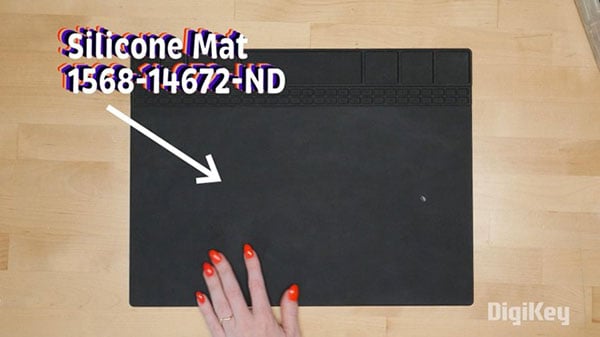
I also use a silicone mat. Although it is not necessary, I’ve found it handy to prevent parts from rolling away—it even has divided compartments for organizing all those little screws. But a piece of tape, sticky side up, works well too.
Depending on what you’re taking apart, you may be able to find reference photos or even CT scans of the device. This is extremely helpful if you suspect the device includes lithium batteries. Referencing scans or photos takes out the guesswork of locating the battery.
If there are no reference scans and you suspect the device has one, be extra gentle– damaged lithium batteries are at greater risk of thermal runaway, which is when they become too hot and that makes them heat up even more in a chain reaction that can result in a fire.
Once you remove it, make sure it can’t short itself out by accidentally touching the power and ground wires together. If there’s no connector, you can use tape to insulate the wire ends and keep them away from one another.

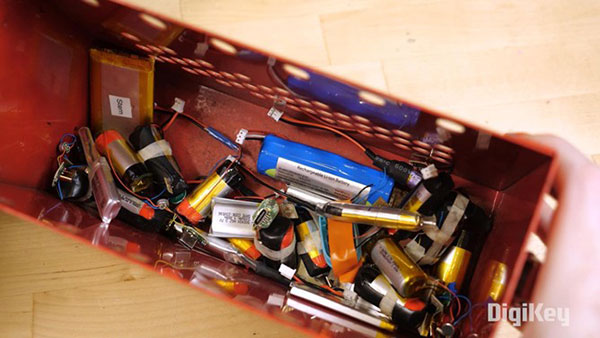
If you want to be extra safe when storing your small lithium batteries, the best option is a vented steel ammo box. To add additional fire suppression to the area where I keep the ammo box full of lithium batteries, I put the whole thing in a fireproof battery storage bag. It’s always smart to have a fire extinguisher or fire blanket handy, but it’s really only going to be effective on the things around a lithium battery fire, at least until the thermal runaway reaction runs out of ingredients.
Presuming your lithium battery hasn’t caught fire, you can reuse it for your own electronics projects. Just be sure to charge it at an appropriate rate for its capacity– check out my post about harvesting batteries from disposable vapes for more info.
I just have one more quick safety warning. They’re not so common anymore, but it’s worth mentioning that giant capacitors in CRT televisions and monitors can pose an electric shock hazard. So don’t go seeking those out or opening them up. This is the extreme example and goes to show you that capacitors can be dangerous on a scale from ouch to unalive -- so use caution when you find them in things like camera flashes. If you’re qualified to discharge one, check out this dedicated video to learn how to do it safely.
There are so many fun things to harvest from broken electronics. When I repurposed my old PS4 controllers into music sequencers, I was able to harvest two beefy haptic motors from each of them. And busted inkjet printers contain a treasure trove of stepper motors, buttons, gears, sensors, and more.
Taking apart these devices is like a mini engineering archeological dig. As you peek inside, you start to see the choices the manufacturers made to balance cost, function, and durability. Each teardown is a crash course in design and manufacturing, which is incredibly educational if you’re trying to learn how to build better stuff yourself. Maybe that stepper motor becomes part of your next robot project. Maybe those switches get reused in a prototype.
One challenging thing about harvested parts is that you have to identify what they are in order to be able to reuse them correctly. Check out our previous episode about datasheets for some tips on what to look out for.
After your teardown, you may be wondering what to do with what remains. The rigid plastic of an enclosure can often go in the regular recycling, but PCBs and other e-waste cause pollution if they’re not disposed of properly. A lot of recycling comes down to caring enough to research your options, then following through. For instance, where I live, there are city-run collection events where I can drop off all sorts of hard-to-dispose-of items, including e-waste.
And nationally in the US, stores like Staples and Best Buy have e-waste collection programs with info about what they do and don’t accept on their websites.
If your device is still functional, you may find it has trade-in value either with the manufacturer or on a site like Back Market. Remember that reuse is just as important as recycling, and your old phone would be better off displacing the need for a new one than rotting in your desk drawer.
There you have it– a beginner’s guide to teardowns! I hope this guide gives you the confidence to take more things apart yourself.