ご注文の日本国内への配送は、場所によりますが、通常3~4日以内にお届けします。
日本に出荷されるご注文で、商品代金6,000円以上のご注文の送料は無料となります。 商品代金6,000円未満のご注文については、2,000円の送料が発生いたします。
DDP:関税等の諸費用はDigiKeyが負担。(適格請求書対応)
CPT:関税・輸入消費税等の諸費用はお客様のご負担。 (適格請求書非対応)
条件を満たす各企業・団体に対する信用取引
銀行振込でのお支払い
![]()
![]()
![]()
![]()
DigiKeyのカタログにはない幅広い製品ラインアップもご用意しています。当社の審査基準を満たしたサプライヤ製品のみを扱っているので、ご購入は安心です。
ご注文の製品は、通常、ご注文日から1~3日以内にサプライヤから発送されます。別途送料がかかる場合がありますので、予めご了承ください。 実際の発送予定日は、製品ページ、カート、ご注文画面でご確認ください。
Incoterms:CPT(関税 & 適用されるVAT/税は、製品の配送時にお客様のご負担となります。)
詳細はヘルプとサポートをご覧ください
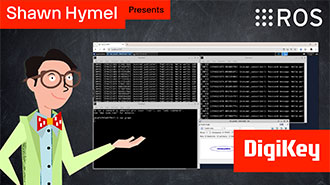
In this tutorial, we’ll demonstrate how to set up a communication channel between a ROS 2 node running on a Raspberry Pi and an Arduino-compatible microcontroller to control a simple robot.
In this tutorial, we take the next step and create a complete system using both TF2 broadcasters and listeners.
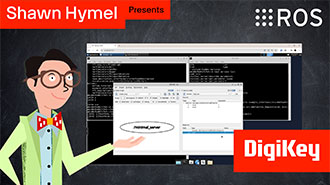
In this tutorial, we begin working with TF2, the ROS 2 library that handles coordinate transformations.
In this tutorial, we’ll explore how ROS 2 launch files simplify node orchestration.
In this tutorial, we'll explore how to use parameters in ROS 2 to dynamically configure nodes.
In this episode, we’ll go one step further by creating and using custom interfaces in both Python and C++. You’ll learn how to define your own message and service types and use them in publisher/subscriber and client/server architectures.
In this tutorial, we will see how services work by creating a custom server and client in C++ ROS nodes.
In this tutorial, we will see how services work by creating a custom server and client in Python ROS nodes.
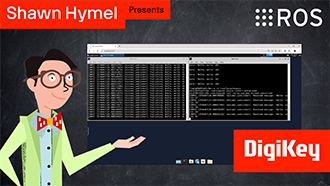
In this tutorial, we’ll walk through how to write ROS 2 nodes in C++ that communicate using the publish/subscribe model.
This tutorial will walk you through creating a publisher and subscriber from scratch using ROS 2’s Python client library, rclpy.
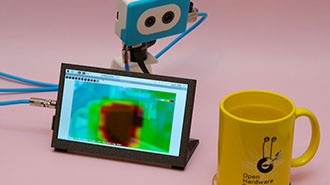
This project fuses the Raspberry Pi's camera feed with a thermal graphic overlay.
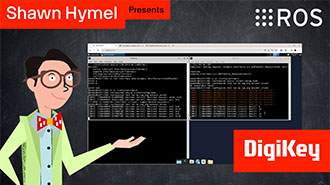
In this tutorial, we’ll dive into one of the most essential parts of working with ROS 2: the command-line interface (CLI). Before writing any code, it’s important to understand the basic tools that ROS 2 provides for exploring, debugging, and interacting with nodes, topics, and services.
ご注文、出荷、配送などに関する情報は、当社ウェブサイトの「ヘルプ & サポート」ページでご確認ください。
DigiKey会員にご登録いただいたお客様は、DigiKeyページの上部にある[ログインまたは登録]ドロップダウンメニューから[ログイン]を選択して会員様専用のアカウント(myDIGIKEY)にログインすることで、ご注文を追跡できます。すでにログイン済みのお客様は、こちらからすべてのご注文をすぐにご確認いただけます。ご注文いただいてから、最新のご注文状況が反映されるまでに12時間かかる場合がございますので、予めご了承ください。
返品をご希望のお客様は、こちらのページにアクセスして、返品手続きを開始してください。
DigiKeyのお客様は、会員登録の有無に関わらず、myListsから価格と在庫状況をリアルタイムで確認することができます。DigiKey会員にご登録いただいたお客様は、見積もりの作成が可能です。
登録ページに進み、必須情報を入力してください。 ご登録内容を送信いただくと、確認の電子メールが届きます。
ご注文の日本国内への配送は、場所によりますが、通常3~4日以内にお届けします。
日本に出荷されるご注文で、商品代金6,000円以上のご注文の送料は無料となります。 商品代金6,000円未満のご注文については、2,000円の送料が発生いたします。
DDP:関税等の諸費用はDigiKeyが負担。(適格請求書対応)
CPT:関税・輸入消費税等の諸費用はお客様のご負担。 (適格請求書非対応)
条件を満たす各企業・団体に対する信用取引
銀行振込でのお支払い
![]()
![]()
![]()
![]()
DigiKeyのカタログにはない幅広い製品ラインアップもご用意しています。当社の審査基準を満たしたサプライヤ製品のみを扱っているので、ご購入は安心です。
ご注文の製品は、通常、ご注文日から1~3日以内にサプライヤから発送されます。別途送料がかかる場合がありますので、予めご了承ください。 実際の発送予定日は、製品ページ、カート、ご注文画面でご確認ください。
Incoterms:CPT(関税 & 適用されるVAT/税は、製品の配送時にお客様のご負担となります。)
詳細はヘルプとサポートをご覧ください
Digi-Keyのニュースレターにお申込みいただき、ありがとうございます。
お客様の受信箱で、DigiKeyから届くニュースや更新情報をご確認ください。
電子メールアドレスを入力してください
チェックボックスにチェックを入れてください