Settings
 Fast Delivery
 Free Shipping
 Incoterms
 Payment Types


 Marketplace Product

ESP32-CAM AI Currency Classifier: Build Real-World Recognition
2026-02-04 | By Rinme Tom
License: General Public License ESP32
ESP32-CAM AI Currency Recognition: A Complete Edge AI Project for Makers
Imagine transforming an affordable microcontroller camera module into a machine-learning-powered system that can identify and classify Indian currency notes in real time — without internet or cloud services. In this project, you’ll learn how to combine the popular ESP32-CAM Currency Recognition with the Edge Impulse TinyML platform to build a robust currency recognition solution that runs completely at the edge — right on the device itself.
This guide takes you step-by-step — from hardware setup and model training to deployment and real-world testing — making advanced AI accessible to hobbyists, students, and professionals alike.
Why This Project Matters
Traditional AI systems often rely on cloud servers to process data, introducing latency, connectivity requirements, and privacy concerns. In contrast, edge AI — running machine learning directly on devices like microcontrollers — enables:
Instant predictions with minimal delay
Offline operation without internet dependency
Lower power consumption and data privacy
In this project, you’ll apply these concepts using an ESP32-CAM and a custom TinyML model trained with Edge Impulse to recognize different denominations of Indian rupee notes in real time.
What You’ll Build
You will create a system that:
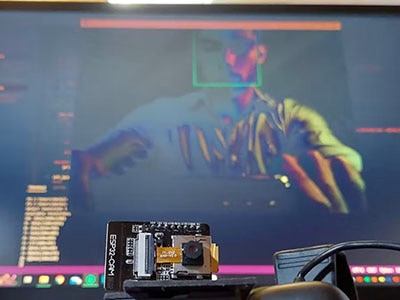
Captures images of currency notes using an ESP32-CAM
Processes and labels the images using a TinyML model
Runs the model locally on the ESP32-CAM
Outputs results via LEDs and the Arduino Serial Monitor
This hands-on project introduces embedded AI techniques, image classification, and real-world deployment workflows.
Hardware Setup
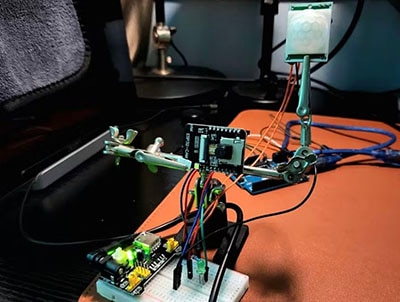
Since the ESP32-CAM doesn’t include a built-in USB interface, you’ll need a USB-to-Serial converter to program it. Connect the ESP32-CAM’s TX/RX, 5 V, and GND pins to your converter and interface multiple LEDs — each representing a currency denomination — through current-limiting resistors.
Pro tip: Maintain a consistent camera angle and lighting during setup to improve recognition accuracy.
Workflow Overview
1. Data Collection
Use the ESP32-CAM web server to collect image samples of each currency denomination. Connect your ESP32-CAM to a Wi-Fi network in programming mode to capture and download training images. Aim for at least 50 images per denomination — more data generally improves model performance.
2. Model Training on Edge Impulse
Create a project on Edge Impulse
Upload and label your dataset
Configure an impulse with Image Processing and Object Detection
Train and evaluate your model
The platform will generate an Arduino library with your trained model ready for deployment.
3. Deployment and Testing
Add the generated library to your Arduino environment, adjust the camera definition to match your ESP32-CAM board, and upload the classifier. Once running, place currency under the camera — and watch LED indicators and the Serial Monitor report predictions in real time.
Real-World Performance and Use Cases
When deployed, the edge AI system can recognize different rupee notes, illuminating the corresponding LED to confirm the detected value. This reliable, offline AI system has exciting applications, such as:
Assistive tools for visually impaired users
Retail automation and point-of-sale systems
Automated note counting and validation
Smart vending machines and kiosks
Future Enhancements
Once your basic version is running, consider expanding your project by:
Adding support for more denominations or coins
Integrating real-time audio feedback
Enhancing the user interface with LCD/OLED displays
Incorporating fake note detection through expanded training data
Conclusion
This project exemplifies how affordable hardware and accessible machine learning tools can empower makers to build practical, intelligent systems. By deploying a TinyML model on an ESP32-CAM, you gain real-world experience in edge computing, embedded AI, and embedded system integration.
Whether you’re a hobbyist eager to experiment with edge AI or an educator looking to teach practical TinyML concepts, this currency recognition system is a rewarding and highly adaptable project.